

System76 has officially released COSMIC 1.1.0, bringing a host of exciting improvements to their Rust-powered desktop environment.
System76 has officially released COSMIC 1.1.0, the latest version of their exciting Rust-based desktop environment. This solid update brings many practical improvements across the board, making COSMIC even more polished and enjoyable to use.
I have been following the development closely, and version 1.1.0 feels like a great step forward. Built in Rust and licensed under GPLv3 for apps and MPL-2.0 for libraries, COSMIC is developed as a universal project that follows Freedesktop specifications. It is not tied to any single distribution and uses the Iced library for its clean, type-safe, and reactive interface.
Table of Contents
What’s New in COSMIC 1.1.0
The update includes a long list of enhancements. Here’s a comprehensive overview:
- New cosmic-monitor application for system information, running processes, and visual resource tracking.
- Composite server now supports naming pinned virtual desktops and multiple full-screen windows on one desktop (perfect for Steam Big Picture mode).
- Smooth mouse wheel zooming and option to set timeout for automatic cursor hiding.
- Rounded corners for all windows (not just COSMIC apps) and new window shadows, including tiled layouts. Customize them in Settings > Desktop > Appearance > Window shadow and corners.
- Improved X11 client support via XWayland: better window activation, system tray focus switching across desktops, adjusted icon sizes, and better full-screen handling. New
--no-xwaylandlaunch option added. - Battery charge level shown as percentage in the power management applet.
- New Wayland protocols: pointer-warp-v1 and pointer-constraints.
- Drag-and-drop tab reorganization in file manager, terminal, and text editor.
- Cosmic-launcher now prefers SVG application icons.
- Systemd/logind functionality separated for better compatibility with OpenRC + elogind (including laptop lid handling).
- File association for cosmic-edit on empty (application/x-zerosize) files.
- Screenshot tool remembers selected screen area.
- Cosmic-bg supports recursive image scanning in user directories.
- File manager improvements: text file preview, separate sorting icons, better MIME handling, Page Up/Down navigation, user-defined context menu actions, search in recent files and Trash, Shift to copy path, paste images/videos/text as files, multi-directory tabs, preserve timestamps on copy, network path support with Tab autocompletion, and Trash empty confirmation.
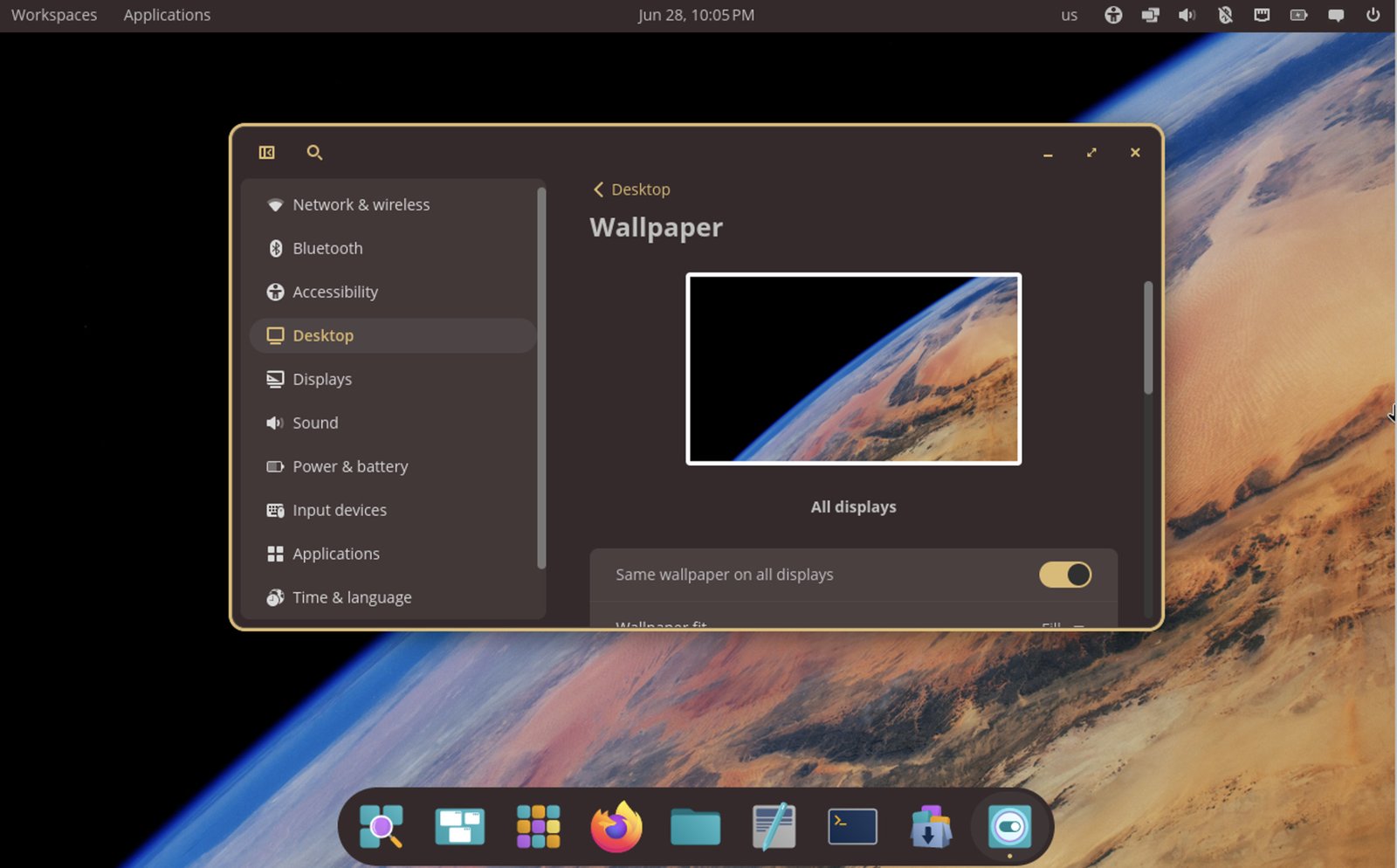
Settings and applets:
- cosmic-settings-daemon, cosmic-settings, sound applet, and cosmic-osd now use Varlink API.
- Smoother automatic panel hiding.
- Bluetooth keyboard PIN pairing dialog, input focus controls, external monitor brightness, disable auto virtual desktop switch on cursor leave, wireless network search, custom keyboard layouts.
- Quick search by typing in any settings section, RON theme support via CLI, accessibility options, Super+Alt+S for screen reader, touchpad click simulation enabled by default, VPN with 2FA.
- App-List filtering by desktop/display and middle-click to close.
- Improved virtual desktop switching with looped mouse wheel and faster touchpad scrolling.
- OpenRC support for Bluetooth services.
- Hotkeys for brightness/volume/keyboard layout work on lock screen.
- Qt theming via qt5ct/qt6ct.
- Cosmic-player adds playback speed, repeat/loop, fast-forward/rewind, and smart muting on thumbnails.
- Cosmic-store gets rpm-ostree backend, multi-threaded downloads, RPM package support, and Flatpak data clear on uninstall.
- Initial Setup supports multi-monitor and enables screen reader by default.
- Cosmic-term: open new window in current dir, 100,000 line scrollback, –working-directory option, copy link in menu, better password handling, Shift-click selection.
- Libcosmic supports non-Latin keyboard shortcuts.
- Cosmic-app-library adds wgpu, ico/xpm icon support, and drag-and-drop rearranging.
- HTML markup allowed in notifications.
- nmrs package for NetworkManager features.
- New iced library version with performance optimizations, better animations, and input method support.
Performance and User Experience
Thanks to Rust and the updated iced library, everything feels snappy. The improvements in animations, panel hiding, and touchpad scrolling make daily tasks more pleasant. It works well on various hardware, and the separation of systemd components is a smart move for broader compatibility.
Download and Installation
COSMIC 1.1.0 is available right now in Pop!_OS 24.04.
Download the latest Pop!_OS ISO from the official site:
https://system76.com/pop/download/
Quick start tips:
- Verify the downloaded ISO checksum before creating a bootable USB (use Rufus, Etcher, or
dd). - Boot the live USB to test everything first.
- Existing Pop!_OS 24.04 users can simply update their system.
- Packages will arrive soon in Fedora, NixOS, Arch Linux, openSUSE, Aeyrin OS, Redox, and CachyOS.
For source code and building instructions, visit the official repository:
https://github.com/pop-os/cosmic-epoch
Check the official documentation for upgrade details and troubleshooting.
Wrapping Up
COSMIC 1.1.0 is a well-crafted update packed with thoughtful improvements. From better window management and file handling to enhanced settings and app features, it shows the team’s commitment to building a robust and versatile desktop.
So, what do you think about the new COSMIC 1.1.0 release? Let me know in the comment box down below.
Cheers.


