

We round up the Fedora 45 workstation (upcoming) features, currently ongoing beta tests.
Fedora Linux 45 Beta landed on 15 September 2026, and the final release is aimed at 20 October, with 27 October held as a fallback. This release brings the latest and greatest GNOME 51 on Workstation, KDE Plasma 6.7 on the Plasma edition, and a Linux 7.2 kernel, with a clear focus on security defaults, a modern console, and a cleaner installer path for Atomic desktops.
I have been using Fedora Workstation as a daily driver for years. A beta is not what I put on a work machine, but I always feel it is the right time to see where the next six months are heading. Fedora 45 is a significant release in that sense. It balances new technology with usability, and a lot of the work sits under the desktop rather than in flashy new apps.
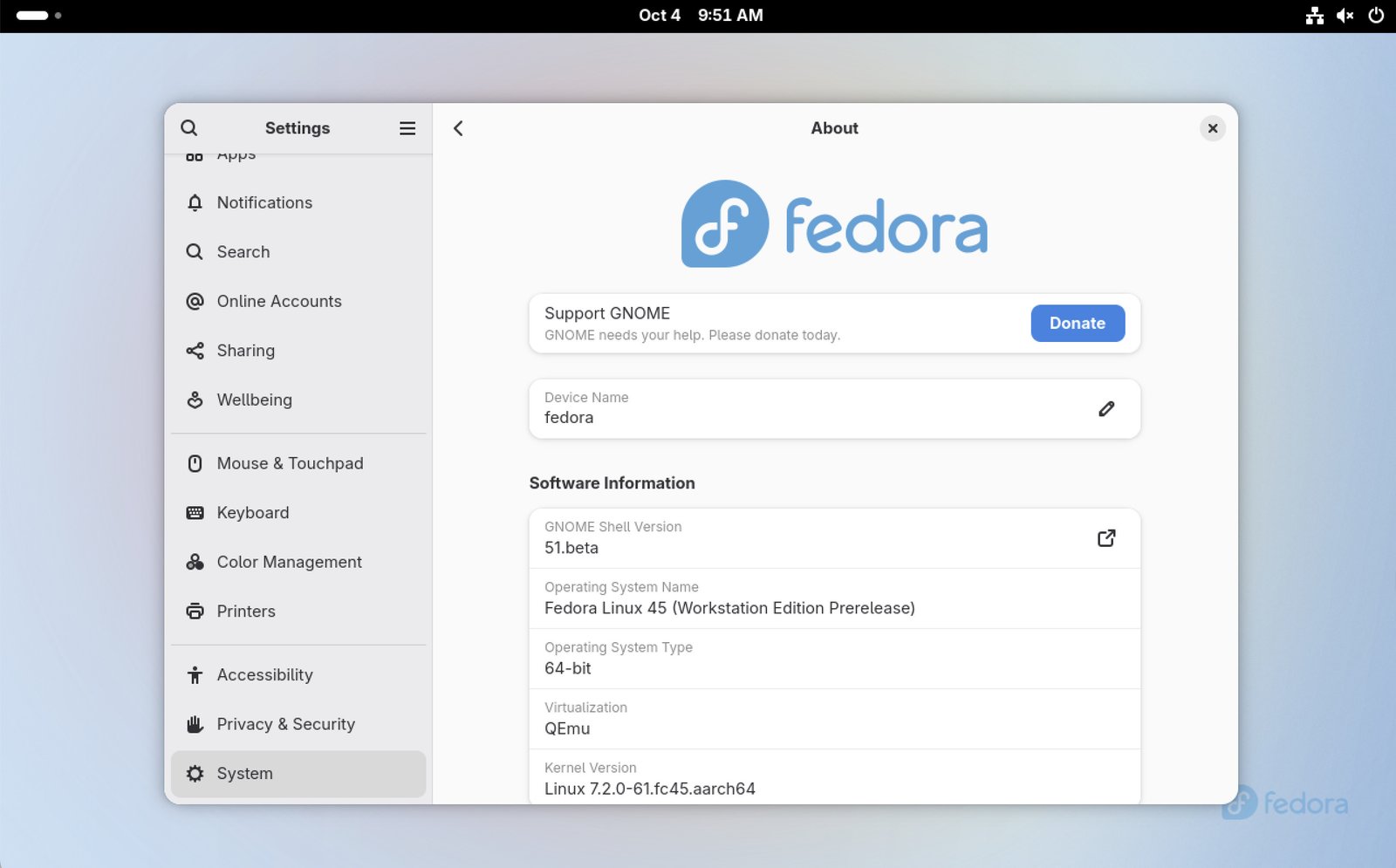
Table of Contents
Fedora 45: Key Features
Here is what stands out in this release.
- kmscon replaces the old in-kernel console. The virtual terminal now runs in userspace, with smoother rendering, better Unicode and font support, and a more modern look on high-resolution screens.
- RPM checks package signatures by default. Unsigned packages are refused unless you explicitly override that.
- ptrace is restricted for unprivileged users. Debugging tools can turn the old behaviour back on when they are installed.
- GNOME 51 on Workstation and Plasma 6.7 on the KDE Plasma Desktop edition.
- Stratis can be used as an install target in Anaconda, including Kickstart and the WebUI partitioner.
- Atomic Desktop ISOs move to the Anaconda WebUI, with remote install over HTTPS.
- Early toolchain updates: Python 3.15, Go 1.27, GCC 16.2, glibc 2.44, binutils 2.47, GDB 17.2, LLVM 23, and RPM 6.1.
Compared with Fedora 44, this is less about one big desktop rewrite and more about tightening the base system. Fedora 44 already carried a lot of fresh packages through updates. Fedora 45 locks in the next set of defaults.
Workstation Changes
Fedora 45 Workstation comes with GNOME 51, codename A Coruña. GNOME 51 itself went final just after the beta images were composed, so a normal update on the beta should bring you to the stable 51.0 packages.
I tested the beta on my older hardware, a machine that has seen several Fedora releases. The desktop still feels familiar if you came from GNOME 50. Wayland remains the only session. The useful bits are in the details. Monitor brightness can be saved and restored across reboots. Screencasting does less extra copying, which matters if you record the desktop often. There is also initial support for a reduced-motion setting, better keyboard navigation when you select a screenshot area, and SVG-based cursors.
Secret storage is the change I would actually notice over time. Fedora desktops move the default Secrets Service provider to oo7, replacing the old GNOME Keyring and KWallet backends. The idea is one provider across desktops, so saved passwords and keys behave the same way whether you sit on Workstation or a spin. I always feel this kind of cleanup is easy to miss on day one and painful to live without later.
Fontconfig 2.18 is in as well. That is a quiet update, but it touches how fonts are selected across the desktop.
Linux Kernel and Hardware Support
The beta is powered by the Linux 7.2 series. Fedora’s hardware support has been a strong point for me, and 7.2 continues that. Newer laptops, Wi-Fi chipsets, and GPUs tend to show up here before they land in slower-moving distributions.
Two kernel-facing changes are worth knowing.
The switch to kmscon means the text console you reach with Ctrl+Alt+F3 is no longer the old framebuffer console. Text should look cleaner, and non-Latin scripts are handled better. If you drop to a TTY to fix a broken graphical session, this is the screen you will see.
There is also a DRM Panic front-end. If the kernel hits a panic, Fedora can present that information in a clearer way and help you file a Bugzilla report. I hope I never need it. It is still a solid improvement over a wall of scrolling text.
Restricting ptrace by default is a security change, not a hardware one, but it sits next to the kernel. Unprivileged processes can no longer freely inspect other processes you already have running. Malware has a harder time reading memory. If you install normal debugging tools, the wider permission comes back. For most desktop use you will not notice it.
New Spins and Desktop Options
Workstation is still the flagship, and it remains a great choice for developers who want a clean GNOME setup with fresh toolchains.
The KDE Plasma Desktop edition ships Plasma 6.7. This release reworks the theming engine, adds a global push-to-talk hotkey, lets each monitor keep its own virtual desktops, and makes dark and light mode switching simpler. If Plasma is your daily desktop, this is the edition to grab.
Atomic desktops are a big part of this cycle. Silverblue, Kinoite, and the related images are built with image-builder instead of lorax. You also get raw and qcow2 images that are ready for a virtual machine or a cloud-style setup. Flatpak filtering on Atomic desktops is tightened so the Fedora remote stays in the picture, with the verified Flathub free-software subset available as well.
Spins and Labs images are available, with a few gaps. MiracleWM ISOs, the Budgie Atomic ISO, and the Sway Atomic ISO were not part of this beta drop. Fedora Asahi Remix 45 is also available if you are on Apple Silicon.
Server, Cloud, IoT, and CoreOS builds are out too. CoreOS picks up systemd-oomd and zram swap, which should help small images stay responsive when memory gets tight.
Installer Improvements
On Fedora Atomic images, the old GTK installer gives way to the WebUI. You can also start a remote install from a browser on another machine, over HTTPS, with a pin so the session is not wide open. I tried the flow in a virtual machine. It is simpler than the old screen if you only need a standard Atomic install. Advanced storage layouts are still the area to test carefully before you trust a disk.
Stratis support is the other installer headline. You can place Fedora on a Stratis filesystem from the WebUI partitioner, through Cockpit Storage, and from Kickstart. That used to mean extra steps after install, or a custom kickstart. Native support is the right move if you already like Stratis snapshots and pool management.
For a normal Workstation install, the familiar path is still there. If you are new to Fedora, a fresh install on a spare disk or a virtual machine is the safer way.
Other Notable Changes
Developers get a busy toolbox in this release.
- Python 3.15 is the new default Python stack, up from 3.14.
- Go 1.27, Perl 5.44, Lua 5.5, and Ruby on Rails 8.1 land in the repos.
- GCC 16.2, binutils 2.47, glibc 2.44, and GDB 17.2 update the GNU toolchain. LLVM moves to 23.
- RPM 6.1 is the package manager base. Packaged repo files also move from /etc to /usr, so distribution defaults and your local edits stay apart.
- Podman 6 brings API and CLI changes and drops older pieces such as slirp4netns and cgroups v1. Read the notes before you upgrade a host that runs containers in production.
- Pandas 3, MySQL 9.7 as the default MySQL, and MariaDB 12.3 as the default MariaDB are in for data work.
- LibreOffice help files ship as HTML and as noarch packages, which is easier to install and read.
- NetworkManager enables IPv6-mostly networks by default.
- DNF5 no longer changes the package vendor on its own during an upgrade.
- Package builds are expected to be reproducible, which is a long-term win for trust in what you install.
IBus 1.5.35 improves XKB keymap handling on Wayland. If you type in more than one layout, that one is worth a look after you install.
Download and Upgrade
You can download the ISO for Workstation and other flavours from the official site. These are beta images. Do not put them on a machine you cannot reinstall.
- Workstation: https://fedoraproject.org/workstation/download/beta
- KDE Plasma Desktop: https://fedoraproject.org/kde/download/beta
- Server: https://fedoraproject.org/server/download/beta
- Cloud: https://fedoraproject.org/cloud/download/beta
- IoT: https://fedoraproject.org/iot/download/beta
- Atomic Desktops: https://fedoraproject.org/atomic-desktops/beta
- Spins: https://fedoraproject.org/spins/beta
- Labs: https://fedoraproject.org/labs/beta
- Torrents: https://fedoraproject.org/torrents/45_beta/
After you download, check the checksum on the Fedora download page before you write the USB stick. Fedora Media Writer is still the tool I recommend. Ventoy and dd work as well if you already use them.
If you are running Fedora 44, you can upgrade to Fedora 45 Beta with the DNF system upgrade plugin. The official steps are in the Fedora quick docs for offline upgrades: https://docs.fedoraproject.org/en-US/quick-docs/upgrading-fedora-offline/
If this is your only computer, wait for the final ISO on 20 October. If you have a spare drive or you like testing, the beta is in good shape for a look. A fresh install is cleaner than an upgrade when you want to judge the new installer and the console change.
Wrapping Up
Fedora 45 is a solid release that cares about the base system. GNOME 51 and Plasma 6.7 keep the desktops current. kmscon, signed packages by default, restricted ptrace, Stratis in Anaconda, and the Atomic WebUI are the changes I would remember after the version number fades.
It is still a beta. Expect rough edges, and keep Fedora 44 if you need a quiet machine until the final images drop. For developers, testers, and anyone who likes Fedora’s habit of shipping upstream software early, this is a great choice for a weekend install.
I hope this helps you decide whether to try the beta now or wait a few weeks.
So, what do you think about the new Fedora 45 release? Let me know in the comment box down below.
Cheers.
References


