

We round up the top features of the Cinnamon 6.6 desktop and point releases in this page.
Cinnamon 6.6 released a few months back on November 2025 with month worth of bug fixes and feature enhancements.
Linux Mint team is incrementally updating this core desktop environment for their Mint offerings. The version 6.6 brings few key changes, aligning with the modern desktop look and feel.
Let’s discuss the changes.
Cinnamon 6.6: Top Features
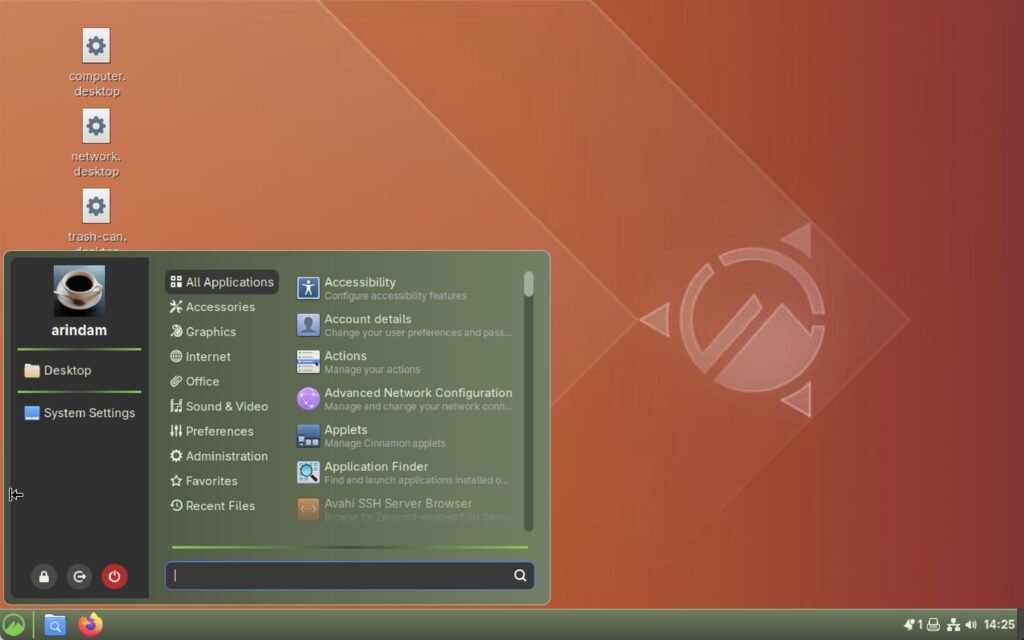
Redesigned Application Menu
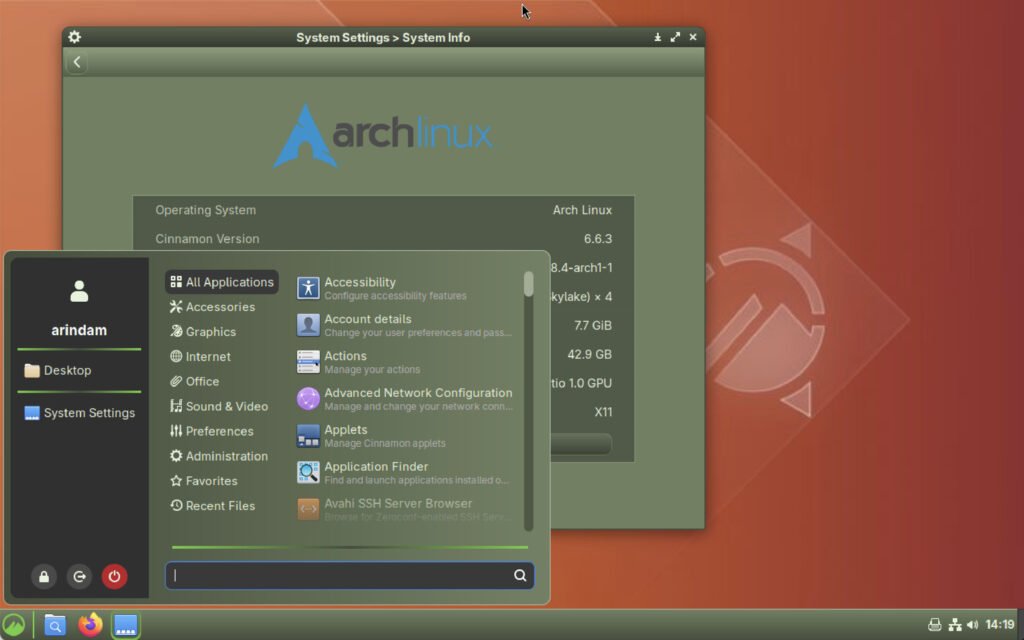
The biggest highlight. It now features a cleaner, more modern layout with system buttons at the top, special categories at the bottom, optional user avatars, configurable Places and Bookmarks, hover color effects on system buttons. It also features the ability to toggle between symbolic and full-color category icons.
XApp Symbolic Icons by Default
Cinnamon switches to the new xapp-symbolic-icons set for better consistency across applets, panels, and categories, improving visual harmony, especially in light and dark themes.
Improved Virtual Keyboard
Now includes a layout switcher button, better theme integration, improved accessibility, enhanced display quality, and smooth fade-in/out animations when showing/hiding the keyboard.
New Keyboard Shortcuts and Handling
Direct shortcuts for switching keyboard layouts, a new shortcut to reset zoom levels, and refactored Python keybinding management for better performance and multilingual support.
Notification Badges on Panel Applets
Window List, Workspace Switcher, and other applets can now show notification badges, making it easier to spot unread messages or alerts at a glance.

Enhanced Night Light
Adds an “Always” schedule mode and a dedicated Night Light applet for more flexible blue-light filtering.
Settings App Improvements
New Thunderbolt module, a dedicated tiling tab in the Windows section, suspend options for battery-critical actions in Power settings, manual Night Light scheduling, and support for the new System Information tool.
Smoother Animations and Performance
Ditches the old Tweener library in favor of easing-based animations for window manager, alt-tab, applets, and desklets. Also includes various backend optimizations.
Hot Corners in Full-Screen Mode
You can now enable hot corners even when applications are in full-screen, improving workflow for multi-monitor or gesture-based users.
Applet-Specific Enhancements
Includes showing newest notifications first, multiple active VPNs in NetworkManager applet, window icons in Workspace Switcher, printer applet visibility only when printing, and volume OSD support for gesture changes.
Download
Cinnamon 6.6.x is available out of the box in Arch Linux for custom installation.
Linux Mint Debian edition 7 “gigi” should release an update with this version in a few days.
Linux Mint 22.3 “zena” which is currently being tested, may get this version after a few days likely.
Wrapping Up
Finally, by redesigning the app menu, Cinnamon 6.6 is well-designed in line with contemporary trends. And with the extra adjustments, it brings mostly to shed the “legacy” appearance while maintaining the same performance. The end effect is a desktop that is aesthetically pleasing and quite useful.
Via release notes


