

Sleek window manager, IceWM 4.0.0 is out with improvements and updates.
IceWM is a standards-compliant window manager designed for simplicity and performance. It is fully keyboard-driven, with features like Alt+Tab switching that feel intuitive right out of the box. This 4.0.0 release improves those strengths while adding refinements that enhance the desktop experience on resource-constrained systems or for users who prefer a minimalist approach.
Let us dive into the highlights.
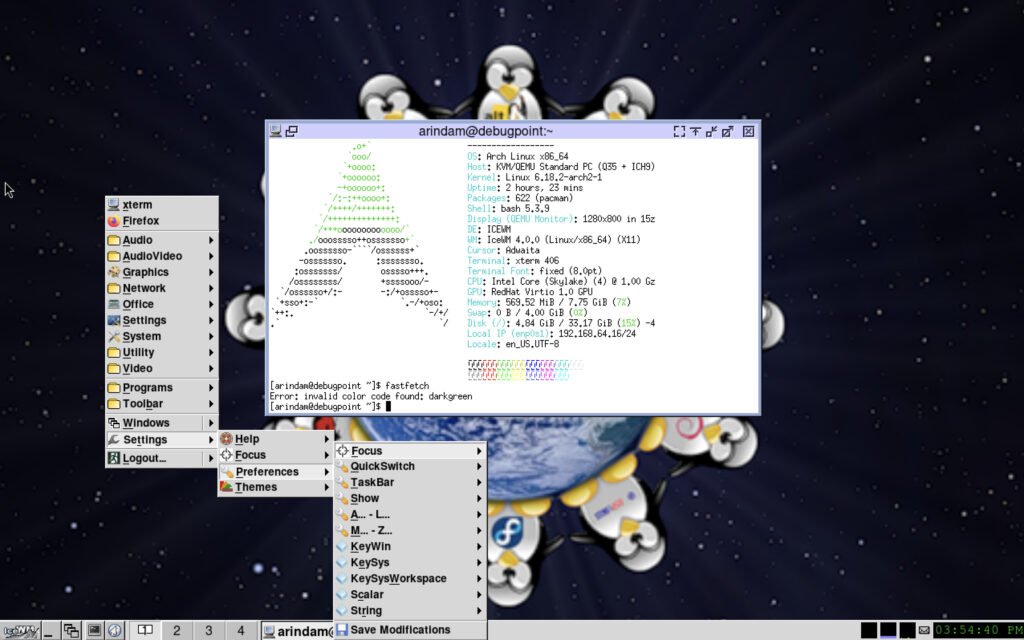
IceWM 4.0.0: New Features
The standout feature in this release is the revamped Alt+Tab quick switcher. It now handles large numbers of windows smoothly in both horizontal and vertical modes. You can type the first letter of an application class to cycle through its instances, press number keys for direct selection, or use the mouse in horizontal mode. Navigation keys work fully, and you can even open the system menu with the menu button. A new QuickSwitchPreview mode provides live previews of windows as you cycle, making task switching more intuitive on busy desktops.
Visual and performance tweaks round out the changes. Alpha blending with 32-bit RGBA is now the default for better transparency support. Icon handling has been modernized: high-resolution icons are announced via WM_ICON_SIZE with standardized sizes up to 256 pixels, and drawing is faster thanks to server-side caching. HiDPI users benefit from adjusted submenu indicators. Other refinements include falling back to the clock font when LED pixmaps are missing, trimming window titles to 128 bytes, and reading extra workspace names on startup.
Bug fixes address real-world issues, such as keyboard layout switching on OpenBSD, dragging desktop icons on secondary monitors, taskbar/workspace pane overlaps, potential crashes with dock windows, and proper locale initialization in the menu generator. Workspace names now update correctly when changed externally, and icesh gains new commands for querying workspace names.
Translations have been refreshed for several languages, keeping IceWM accessible worldwide.
Download and Install
We do have a dedicated guide for InceWM installation in vanilla Arch Linux, which you can read here:
Alternatively, you may download the source from the official repository and follow these steps in your terminal:
textwget https://github.com/ice-wm/icewm/releases/download/4.0.0/icewm-4.0.0.tar.lz
tar --lzip -xvf icewm-4.0.0.tar.lz
cd icewm-4.0.0
./configure --prefix=/usr
make
sudo make install
Check dependencies with pkg-config or use the provided script. Once installed, add IceWM to your display manager’s session options or start it manually with icewm-session.
For Arch Linux, it is already in extra repo which you can install. As of publishing this, IceWM 4.0.0 is in fedora rawhide, and you can install using dnf.
Wrapping up
All in all, it’s a nice and small release to keep the lights on. The enhanced Alt+Tab alone makes it worth upgrading, especially if you manage many windows or multiple monitors. Give it a try.
Via release notes.


