

We round up the best new features of GNOME 51 desktop environments.
GNOME 51 brings a calmer, more practical desktop. One of the major highlights is smoother motion under load. Mutter’s reworked frame scheduling and screen frame delivery help animations stay smooth when the system is busy. Screen recording is faster too, because GNOME now does less redundant work and copies fewer buffers.
Another long due quality of life improvement is saved monitor brightness. GNOME now remembers your brightness level across reboots and when you toggle HDR. If you use a laptop or a mixed SDR/HDR setup, this is the kind of small fix you notice every day.
This release also simplifies graphics support. Legacy NVIDIA driver interfaces are gone. GNOME now uses modern, standard graphics interfaces only. That keeps the code cleaner and is better for anyone on current drivers. If you are still on very old proprietary stacks, this is something to check before you upgrade.
SVG cursors are another nice touch. Pointers are drawn from scalable SVG images instead of static bitmaps, so they stay sharp on HiDPI and mixed-scale displays.
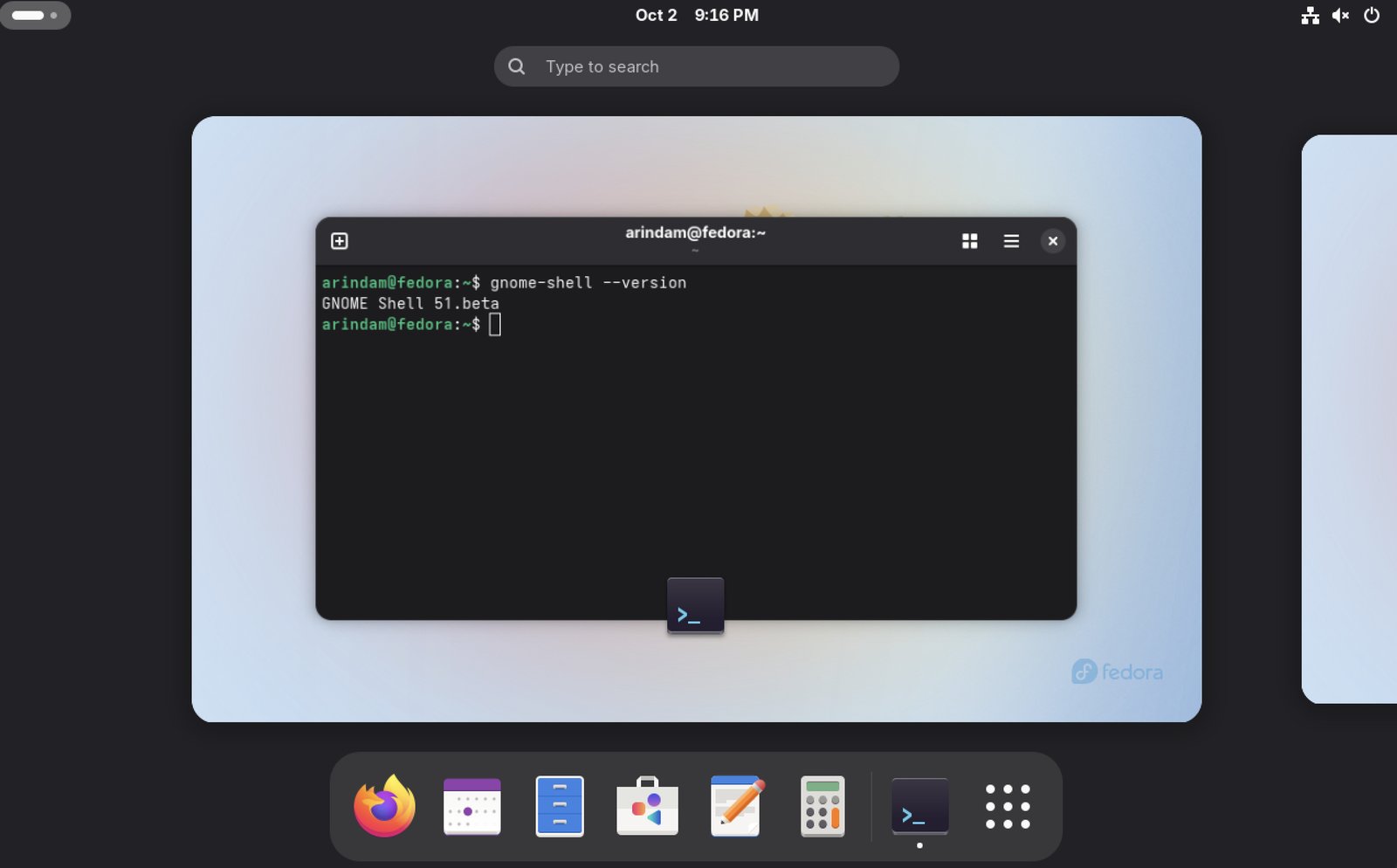
Table of Contents
GNOME 51: Best features
GNOME Shell and Mutter
GNOME Shell respects Reduced Motion in more places, including core widgets and the shell itself. You still get a modern desktop, just with fewer animations if you prefer a calmer interface. I tested related accessibility options on older hardware, and the quieter motion is easy on the eyes.
Screenshot selection is more keyboard-friendly. You can resize the area with the arrow keys, move it with Alt, tweak the step size with Shift or Ctrl, and press R to reset. That is a solid improvement if you take a lot of shots without reaching for the mouse.
Remote Desktop also gets workplace-friendly features. You can plug a smartcard into the computer you are sitting at and use it on the machine you connected to. Kerberos environments can log straight into a remote user session without extra steps. The login screen can offer more than one authentication method, including web-based login where that is set up.
Files and Nautilus
Files picks up several user-friendly tweaks.
- A drag counter badge shows how many items you are moving when you drag multiple files.
- Copied files are selected automatically, so follow-up actions are quicker.
- Right-clicking empty space in a folder no longer wipes your selection.
- Read-only and unreadable folder emblems are clearer, with sensible precedence when more than one applies.
- Slow operations no longer freeze the window, and large or slow folders reload faster.
- Notifications are grouped, so they are easier to find and dismiss.
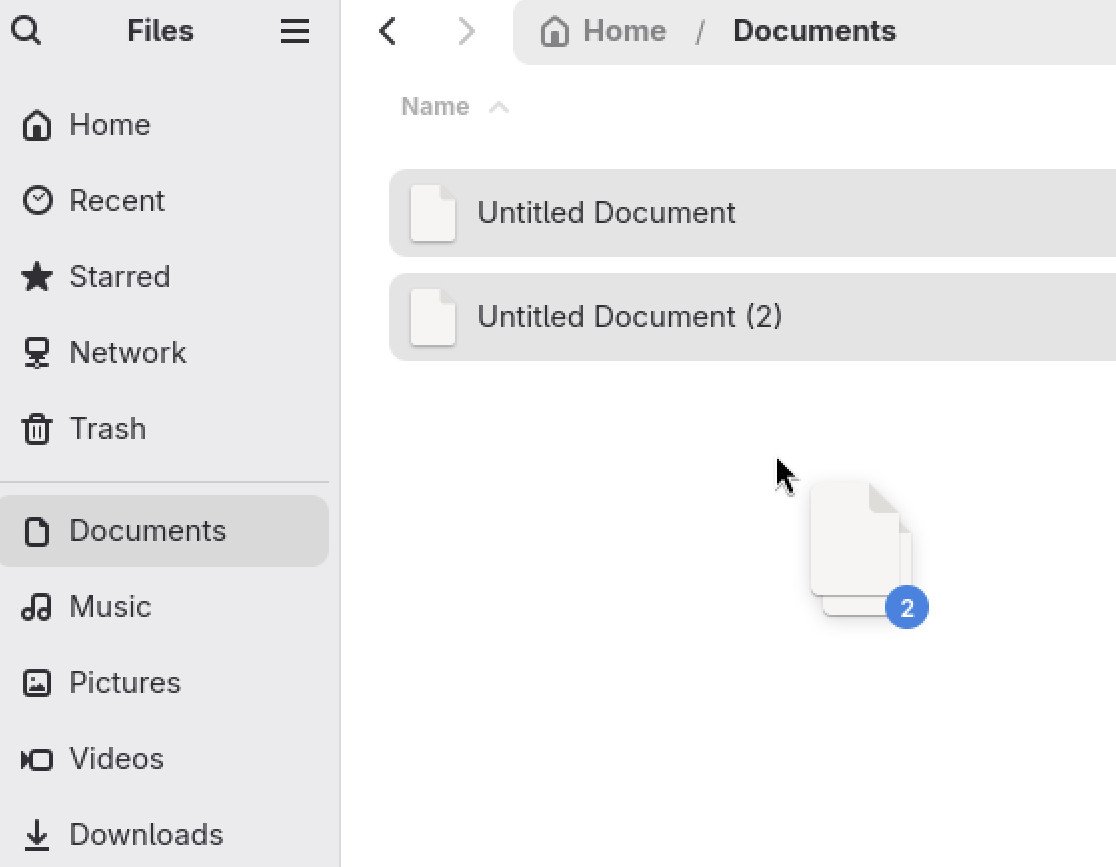
I always feel these Files changes are the kind of polish that makes the desktop feel finished. Folder reloading on bigger directories used to stall more than I liked. GNOME 51 is more responsive here.
Settings Improvements
Settings is packed with practical options.
Displays gains Auto Rotate for devices with an accelerometer, plus an orientation lock when you want the screen to stay put. Multi-monitor arrangement is better thanks to center-aligned snapping, which makes it easier to match your physical desk setup.
Mouse settings can automatically disable the touchpad when a mouse is plugged in. Laptop users who keep brushing the trackpad while typing will like this.
Network adds DNS domain search settings and drops the outdated WEP wireless standard. That last change is the right call for security, though anyone still hanging on to an ancient access point should test before upgrading. SSH setup also supports socket servers, not only the older service-based style.
Users gets a clearer fingerprint enrollment interface. The About page is reorganized and includes a button that opens the release notes for the GNOME version you are running. Accessibility adds a setting to disable the focus ring timeout, which helps assistive technology that needs more time.
Maps, Papers, and Other Apps
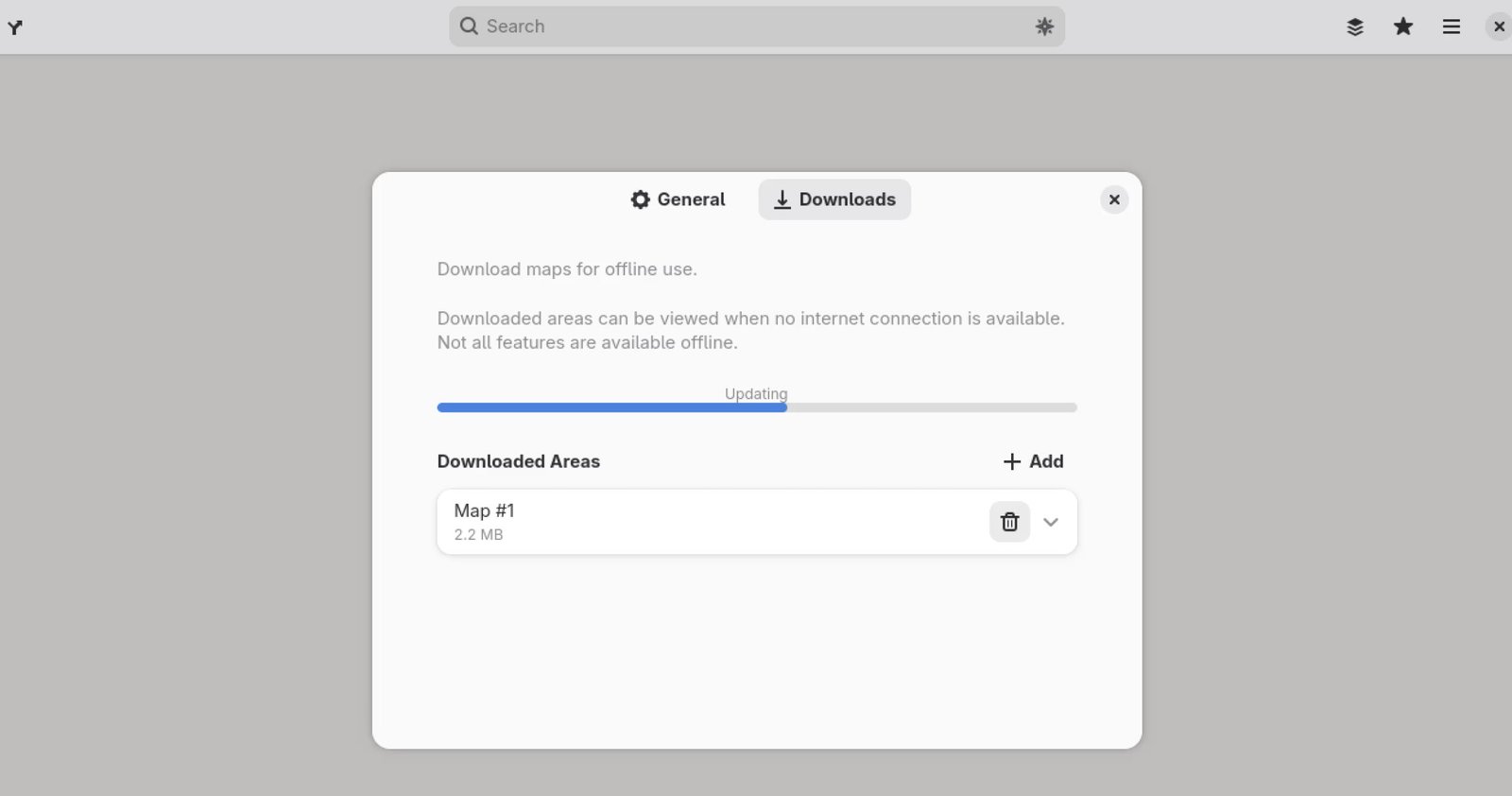
Maps may be the most exciting app update in this cycle. You can download map areas and use them offline. That is great for travel, roaming limits, or spots with poor coverage. Downloaded regions sit in a simple list, so you can remove what you no longer need.
Public transit directions are much more useful:
- Live departures when you tap a stop
- Real-time delay information on journeys
- Platform and stop details for transfers
- Walking times to and from stops
Papers, the document viewer, can insert visual signatures. You draw with a mouse, touchscreen, or stylus, or import an image and let Papers drop the background. Signatures are saved for reuse. This does not replace a legally certified digital signature, but it is handy for everyday forms. Fractional scale rendering is improved with GTK’s snapping API, free text annotations print by default, and the window remembers its size.
The File Previewer (Sushi) has a complete interface revamp on GTK 4 and libadwaita. It matches the rest of the desktop, supports dark mode, shows images at real size, and uses the same modern image and document libraries as other GNOME apps. Press Space in Files and the preview finally feels like it belongs in 2026.
Elsewhere:
- Web can copy the page URL with Ctrl + Shift + C, generate strong passwords, and keeps the address bar suggestions cleaner.
- Software warns you before installing unmaintained apps, shows a fuller Flatpak permissions list, and starts faster by reusing cached data.
- Calendar is reworked for responsiveness. Month view scrolling is smoother, large calendars feel snappier, and background sync uses less data. Event locations can open in Maps.
- Image Viewer (Loupe) shows richer properties: creator, copyright, lens and camera details, software used, and the embedded color profile.
GNOME Circle also welcomes Bobby (a simple SQLite browser), Tally (a tidy counter app), and Bazaar (a Flatpak app store with a curated section distros can customize).
Performance and Accessibility
This release mostly focuses on making the desktop feel smoother rather than adding heavy new shell chrome. Improved frame scheduling, faster screen capture, and snappier Files, Calendar, and Software add up. You should notice fewer stutters when many windows are open.
Reduced Motion is respected more widely. Screen reader output is cleaner, with fewer duplicate dock announcements and better search and app grid navigation. Secure key storage can use oo7 for passwords and keys, depending on how your distribution wires it.
Download and Availability
GNOME 51 is available out of the box with the latest Fedora cycle and will arrive in upcoming Ubuntu releases. Fedora Linux 45 Workstation is built around GNOME 51, and Ubuntu 26.10 is expected to ship it on October 15, 2026. Rolling releases such as Arch should pick it up quickly.
If you are on Ubuntu 26.04 LTS, you will stay on GNOME 50 for that release’s support window. New GNOME series are not usually backported to the current LTS. You can wait for the next interim release if you want 51 on Ubuntu.
Want to try it sooner? GNOME OS Nightlies work well in a virtual machine, or on spare hardware if you feel adventurous. Flathub already carries many of the latest GNOME apps, so you can update individual tools even before your distro finishes the full desktop stack. Building from source is possible, but for most people a distro update or GNOME OS is the friendlier path.
Official notes are on the GNOME 51 release page at release.gnome.org/51.
Wrapping Up
GNOME 51 is a promising, practical release. It is not a giant visual overhaul, and a few hoped-for items did not land this time. What you get instead are solid improvements: smoother frames, better Maps, a modern file previewer, clearer Settings, and lots of small quality of life improvements.
I always feel this is the GNOME style at its best. Daily work gets easier, the desktop stays consistent, and accessibility keeps moving forward. If you already like GNOME, you should give it a try when your distribution ships it.
So, what do you think about the new GNOME 51 release? Let me know in the comment box down below.
Cheers.


