

Debian released important point updates for both its current stable and previous stable versions on July 11, with Debian 12 officially entering its Long Term Support phase.
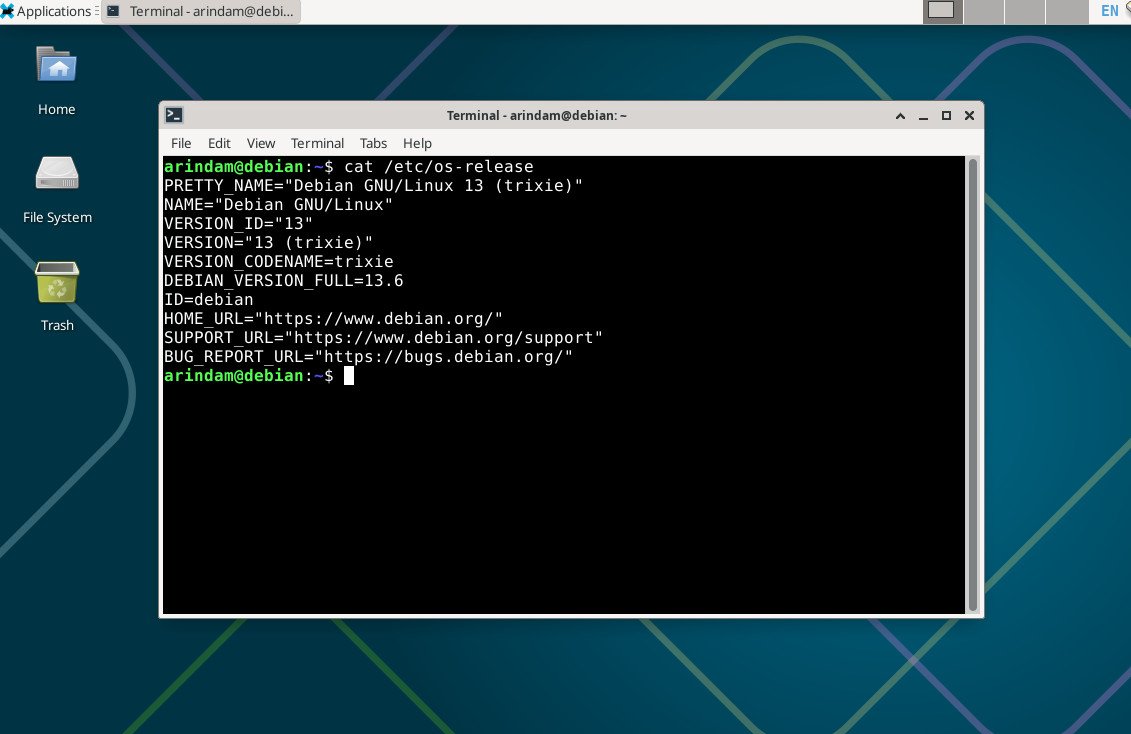
The Debian project released updated point versions for both its current stable release and the previous one on July 11, 2026. Debian 13.6 delivers 124 stability fixes and 120 security updates to Trixie, while Debian 12.15 brings 88 stability fixes and 97 vulnerability fixes to Bookworm. More importantly, Debian 12.15 is the final regular point release for Bookworm. The distribution has now officially moved into the Long Term Support stage.
These updates keep systems secure and stable without requiring a full reinstall. They also give users a clear signal about the future support timeline for Debian 12.
Table of Contents
What’s New in Debian 13.6
Debian 13.6 is a maintenance-focused update. It does not introduce big new features, but it strengthens the foundation with important fixes and a few targeted package upgrades.
Notable changes include:
- Updated shim-signed package to support the latest Microsoft UEFI certificate issued in 2023. This helps maintain verified boot on systems using Secure Boot.
- fwupd bumped to version 2.0.20. This version can update the Secure Boot certificate authority (CA), Key Exchange Key (KEK), and revoked keys database (DBX).
- geoip-database reverted to the December 2019 version because newer GeoLite data no longer meets Debian’s free software licensing rules.
- Several other packages received updates to their latest stable versions, including postfix, samba, wireless-regdb, and wireshark.
- The installer itself received fixes that will appear in the upcoming installation images.
New installation images for Debian 13.6 should appear soon at the usual locations.
Debian 12.15 – The Last Regular Update for Bookworm
Debian 12.15 closes the regular three-year support cycle for Bookworm. From this point forward, the main Debian Release Team, Security Team, and Backports team step back. Responsibility for security updates on supported architectures passes to the dedicated LTS team.
The LTS phase for Debian 12 is scheduled to run until June 30, 2028. Supported architectures during LTS include i386, amd64, armhf, arm64, and ppc64el.
It is important to understand the limits of LTS support. Not every package receives continued updates. Web applications and some complex packages are often dropped because long-term maintenance becomes impractical. Packages that will no longer receive security updates in the LTS phase include chromium, xen, tor, phppgadmin, salt, snort, libreswan, and all packages in the “games” section.
Users can easily check which packages on their system may lose support by installing the debian-security-support package and running the check-support-status command.
After the main LTS period ends in 2028, an optional Extended LTS program run by Freexian will continue providing security updates for selected packages until 2033. These updates come through a separate repository and mainly cover amd64, armel, and i386 architectures. Participation depends on sponsorship, so package coverage can vary.
Important Changes That Affect Both Releases
Two updates appear in both Debian 12.15 and 13.6 and deserve attention from almost every user.
Secure Boot improvements
The combination of the new shim-signed package and fwupd 2.0.20 helps systems stay compatible with changing Secure Boot requirements. The original 2013 certificate authority is expiring, which can cause boot problems on some hardware if the firmware databases are not updated. Users with Secure Boot enabled should follow the steps in the Debian wiki to update their systems and firmware properly.
geoip-database change
Applications that rely on IP geolocation may see reduced accuracy because the database was rolled back to a 2019 version. If you need current GeoLite data, you can download it directly from MaxMind and use it with compatible software. Most desktop users will not notice any difference in daily operation.
Both releases also contain dozens of security fixes across the archive. Systems that already pull updates from security.debian.org will receive most of these fixes automatically.
Regular point releases like these are the quiet work that keeps Debian reliable. They close known vulnerabilities quickly and prevent small issues from becoming bigger problems later.
The move of Debian 12 into LTS is a natural and well-planned step. It gives administrators of long-lived servers and embedded systems more time to plan upgrades. At the same time, it sends a clear message: if you run Debian 12 on desktops, laptops, or general-purpose servers, now is the right moment to start thinking about moving to Debian 13.
Debian 13 will receive full support until August 2028, followed by its own LTS period until June 2030. You get newer kernels, fresher desktop environments, better hardware support, and the full attention of the main Debian teams. In my experience, the upgrade from Bookworm to Trixie has been one of the smoother transitions in recent years.
Download and Installation
You can download Debian from the official site or any mirror listed at https://www.debian.org/mirror/list.
New installations
Installation images for Debian 13.6 will be available shortly at https://cdimage.debian.org/cdimage/release/13.6.0/. Choose the version that matches your hardware. Most users need the amd64 image.
After downloading an ISO file, always verify the SHA256 checksum before writing it to USB. On Linux you can run:
sha256sum debian-13.6.0-amd64-*.isoCompare the result with the published checksum on the Debian website.
To create a bootable USB drive, use the dd command on Linux or graphical tools such as balenaEtcher or Rufus on Windows and macOS. The USB can be used as a live system to test hardware compatibility before installing.
Upgrading existing systems
Upgrading is the simplest and safest way to receive these updates. Open a terminal and run:
sudo apt update
sudo apt full-upgrade
This works for both Debian 12 and Debian 13 users. No reinstallation is required.
If you are currently on Debian 12 and want to move to Debian 13, follow the official upgrade documentation on the Debian website. Or you can visit our dedicated article on upgrade:
The process is straightforward for most installations. After upgrading, you can also enable the backports repository if you need newer versions of specific packages that are not yet in the stable release.
For users who must stay on Debian 12 for now, install the debian-security-support package and regularly run check-support-status so you know which applications may need alternative arrangements after the LTS period.
Wrapping Up
Debian 13.6 is a solid and welcome maintenance release for current stable users. The release of Debian 12.15 together with the clear move into LTS shows the project’s mature approach to long-term support. The team has done a good job communicating what will and will not be covered, and they have provided practical tools like check-support-status to help users plan ahead.
For most people running desktops or general servers, I recommend applying the available updates and then moving to Debian 13 when you have time. You will gain a more up-to-date system with stronger long-term support. If you manage older servers or specialized hardware that cannot be upgraded immediately, the LTS path gives you a predictable window until mid-2028, with an optional extended option beyond that.
These updates are safe, well tested, and easy to apply. You should give them a try soon if you have not already done so.
So, what do you think about the new Debian 12.15 and 13.6 releases and the LTS transition for Bookworm? Let me know in the comment box down below.
Cheers.


