

Xubuntu 26.04 LTS is here – a fast, lightweight, and beautiful release featuring Xfce 4.20 and special 20th anniversary wallpapers.
Xubuntu 26.04 LTS codenamed ‘Resolute Raccoon’ released on April 23, 2026. This lightweight flavour of Ubuntu brings the stable Xfce 4.20 desktop along with three years of support until April 2029. It celebrates 20 years of Xubuntu with beautiful new wallpapers and many practical improvements.
When you want speed and simplicity, Xubuntu is always a go-to distro. And this LTS version feels polished and ready for long-term use as well.
Table of Contents
Xubuntu 26.04 LTS: Key Highlights
This release is built on Ubuntu 26.04 LTS, so you get the latest Linux kernel 7.0, strong security updates, and better hardware support. The focus here remains on a fast, low-resource desktop with Xfce.
Desktop Environment – Xfce 4.20
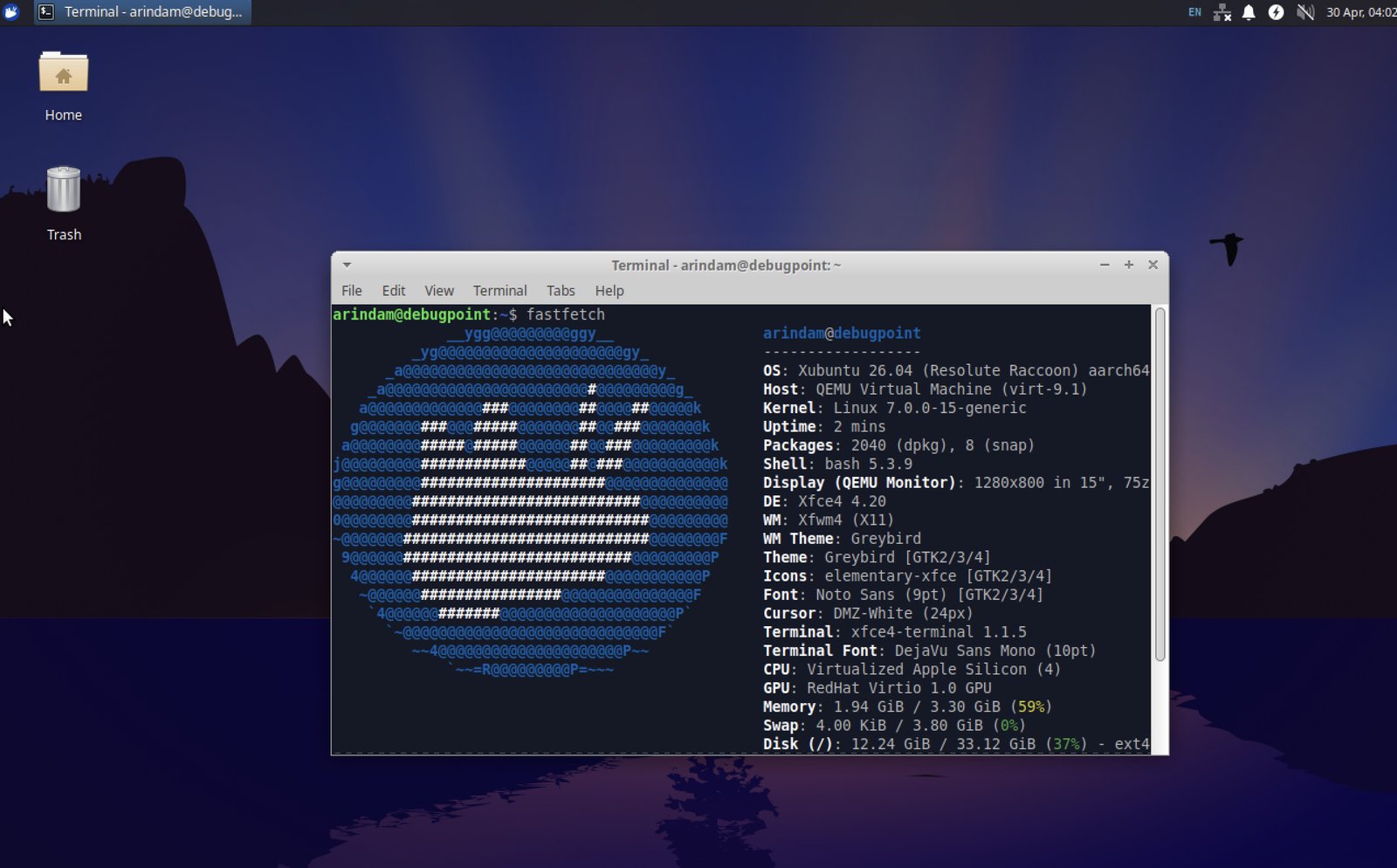
Xubuntu 26.04 ships with Xfce 4.20 and several stability updates. This version brings better Wayland support, smoother performance, and many small usability fixes.
- Updated components: Thunar file manager, xfce4-panel, xfce4-session, Whisker Menu, and PulseAudio plugin
- Improved dark theme detection and client-side decorations option in Settings Manager
- Better display profiles dialog
- Enhanced Wayland compatibility for those who want to try it
The desktop feels responsive and clean as always.
Changes in Xfce Desktop from 24.04 to 26.04
Xubuntu 24.04 LTS came with Xfce 4.18, while this version ships with Xfce 4.20. This is a big two-year upgrade with many refinements.
If you are jumping from LTS-to-LTS, you should notice some major improvements:
- Experimental Wayland Support: Xfce 4.20 introduces proper Wayland support through the new libxfce4windowing library. Most components can now run natively on Wayland without XWayland. It is still experimental, but you get better security and smoother performance. You can start a Wayland session easily with
startxfce4 --wayland. - HiDPI Improvements: Icon and thumbnail scaling issues are fixed. The desktop now looks sharp on 4K monitors and high-resolution laptops.
- Thunar File Manager Enhancements:
- Much better performance – can easily handle over 100,000 files
- New toolbar buttons: View Switcher and Hamburger Menu
- Option for Client-Side Decorations (CSD)
- Statusbar shows count of hidden files
- Improved drag-and-drop with auto-open on hover
- Better split view with shortcuts and focus indicators
- Folder expansion in List View
- Faster file operations and direct file comparison
- Xfce Panel Updates:
- Configurable border widths
- Improved plugin discovery
- Better clock options (LCD-style segments and 24-hour analog mode)
- Power Manager Improvements:
- Better integration with power-profiles-daemon
- Hybrid sleep support
- More lid-close options (including shutdown and “do nothing”)
- Simplified lock screen handling
- Settings Manager Enhancements:
- Improved dark theme support
- Better display profile management
- High-resolution scrolling support in mouse settings
- Option for adaptive/flat mouse acceleration
- Desktop (xfdesktop):
- Smarter random wallpaper cycling (no immediate repeats)
- Independent icon grids per monitor
- Custom colours for icon labels
- Better minimized window icon handling
These changes make Xfce 4.20 feel more modern and responsive while keeping the lightweight spirit intact.
New Wallpapers for 20th Anniversary
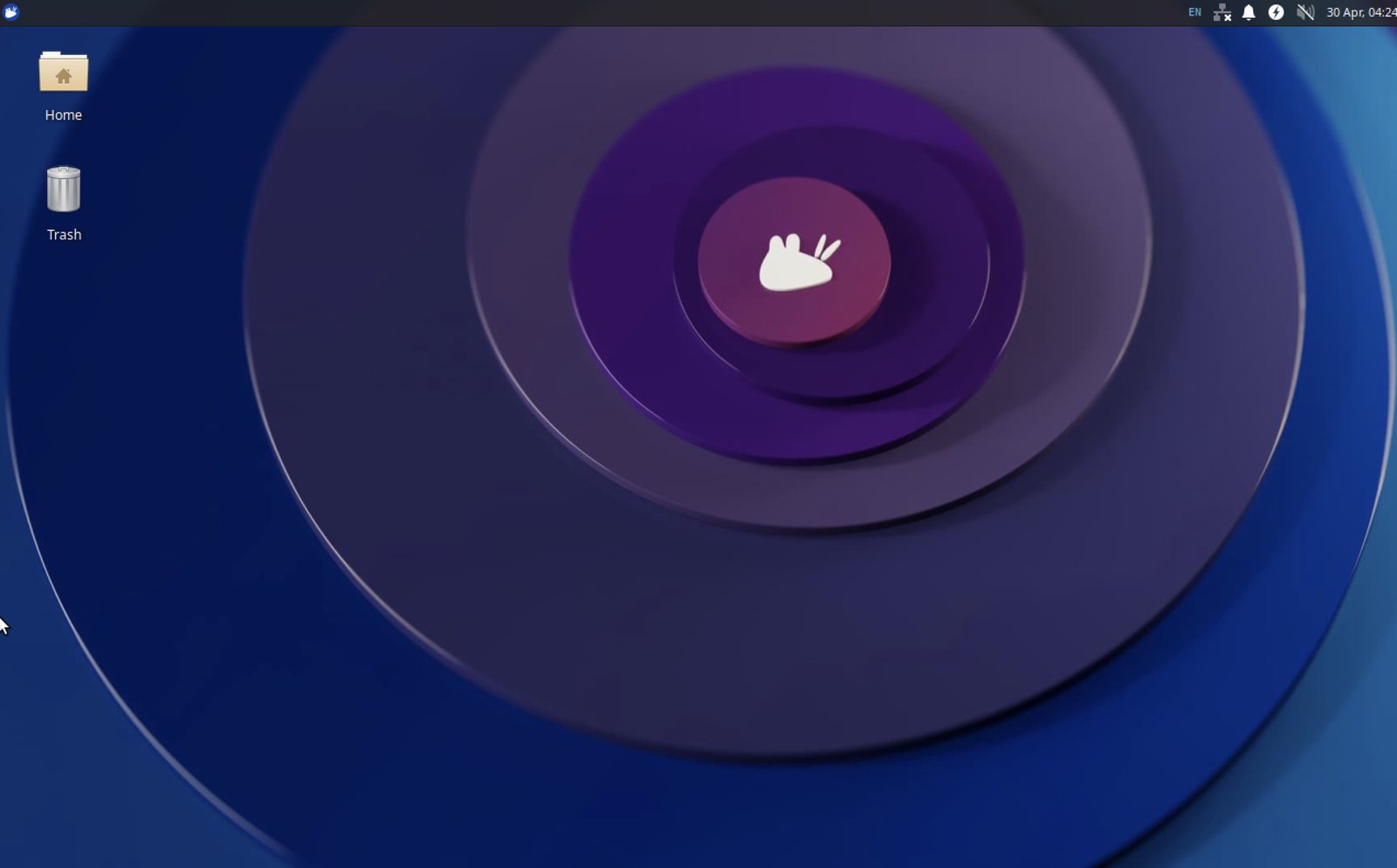
To celebrate twenty years of Xubuntu, the team ran two community wallpaper contests. You get eight beautiful new wallpapers included by default, plus the standard Resolute Raccoon wallpaper. They look really nice and give a fresh feel to the desktop.
Application Updates
Several key apps received nice upgrades:
- GIMP 3.2.2 – Major update with improved features and stability
- LibreOffice 26.2 – Latest version with better compatibility
- Mousepad 0.7.0 – Improved text editor with new features
- Catfish 4.20 – Better search filters and performance
- PipeWire 1.6.2 and GStreamer 1.28 for better audio and multimedia
Other Notable Changes
- The indicator plugin has been removed from the default panel
- Most applications now use KStatusNotifier for system tray icons
- Inherits all Ubuntu 26.04 base improvements: better security, newer kernel, and updated libraries
Performance remains excellent. Xubuntu continues to be a great choice for older machines or users who prefer a traditional, lightweight desktop.
Download and Upgrade
You can download the Xubuntu 26.04 LTS ISO directly from the official site: https://xubuntu.org/download
Xubuntu 26.04 LTS is supported for 3 years (until April 2029). If you need longer support, you can use Ubuntu Pro.
If you are running Xubuntu 24.04 LTS, I would not recommend upgrading immediately. Wait for the 26.04.1 point release (expected in July) for the smoothest experience. You can also do a fresh install if you prefer.
Users coming from Xubuntu 25.10 will get the upgrade offer soon.
ARM Xubuntu Updates
Although there is no official ARM ISO for Xubuntu, yet – I managed to get it running via Ubuntu server. You can get the Ubuntu server ARM image and install Ubuntu desktop on top of that.
I gave it a spin in UTM in Macbook pro M4. The performance is amazing and fast.
Wrapping Up
Xubuntu 26.04 LTS is a solid release. With Xfce 4.20 refinements, anniversary wallpapers, updated applications, and the strong foundation of Ubuntu 26.04, it offers a perfect balance of lightness and modernity. If you like a fast, no-nonsense desktop that just works, this is a great choice.
You can easily adopt this Xubuntu version as a go-to Ubuntu based distribution for a long term work.
Cheers.


