

We round up the EndeavourOS Titan release.
EndeavourOS Titan is now available, released on March 12 2026. This fresh Arch-based ISO brings smarter hardware support and a smoother installation experience while keeping the lightweight, customizable spirit we all love.
This Arch-based distribution gives me the pure Arch experience with a friendly installer and helpful tools. The new Titan release feels like a solid step forward, especially for users with modern graphics hardware.
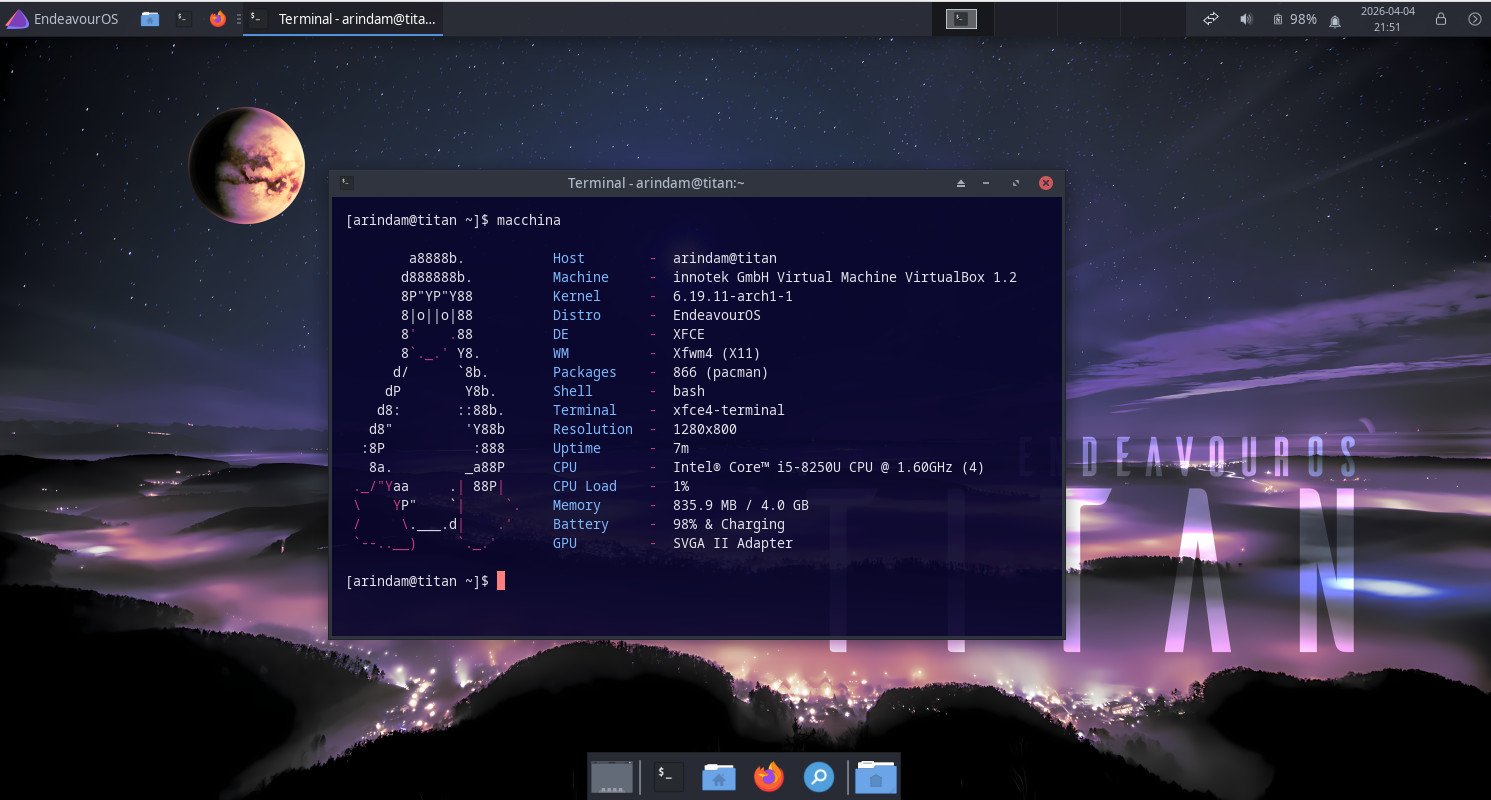
Table of Contents
What’s New in EndeavourOS Titan
The team named this release “Titan” after Saturn’s largest moon. They even included a stunning new wallpaper created by community member Unclespellbinder.
Here’s what stands out:
- Improved mirror ranking: The installer now handles mirrors better, even when working offline. You get an optimized mirror list right away.
- Better hardware detection: Full support for all GPUs and virtual machines.
- Automatic GPU driver installation: The Calamares installer now detects your graphics card and adds the right drivers, including Vulkan and hardware-accelerated video decoding packages where needed.
- Early GPU driver loading: Drivers load earlier by default for smoother boot and desktop experience.
- New tool: eos-hwtool: A handy utility for installing or removing GPU drivers. The installer uses it, and you can install it later on any running EndeavourOS system.
- Updated base packages: Linux kernel 6.19.6, Mesa 26.0.1, Xorg-server 21.1.21, NVIDIA utils 590.48, Firefox 148, and Calamares 26.03.1.3-1.
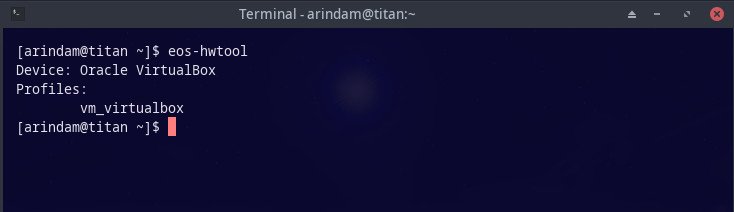
The ISO size grew a bit to about 3.4 GB, but this is not bloat. It comes from the new hardware features that make installation much more reliable and user-friendly.
These changes mainly affect new installations and the live environment. If you already run EndeavourOS, a simple sudo pacman -Syu keeps your system perfectly up to date.
Moreover…
I always feel that a good rolling-release distro should stay close to Arch but make the first steps easier. Titan does exactly that.
Better GPU support means fewer post-install tweaks for NVIDIA, AMD, or Intel users. The offline mirror improvements help people with limited or unstable internet during installation. And eos-hwtool gives you a clean way to manage drivers later if you switch hardware.
Overall, it makes EndeavourOS an even greater choice for beginners who want Arch power and for experienced users who appreciate a polished live session.
Performance
I tested the Titan live environment on my older hardware with an AMD GPU. Boot was quick, and the desktop felt responsive right away. Hardware acceleration worked smoothly after installation. On newer systems, you should see even better results thanks to the early driver loading and latest Mesa.
The system stays lightweight as always – perfect for customization with any desktop environment you like after install.
Download and Installation
You can download EndeavourOS Titan directly from the official website:
The team provides multiple mirrors worldwide. Choose the one closest to you for faster downloads.
After downloading:
- Always verify the SHA512 checksum and GPG signature for security.
- Create a bootable USB using tools like Rufus (on Windows), Etcher, or the
ddcommand on Linux. - Boot from the USB. The live environment lets you try everything before installing.
The Calamares installer is super easy to use. It now handles GPU drivers automatically in most cases. You can choose online or offline mode during setup.
Note: The offline installation only provides you the KDE Plasma desktop.
For detailed steps, check the official documentation on the EndeavourOS website or their helpful forum.
Wrapping Up
EndeavourOS Titan is a promising update that makes the Arch journey more welcoming without changing what makes it special. The improved hardware support and new eos-hwtool feel well-crafted and practical.
If you want a rolling Arch-based system that is easy to start with and stays lightweight, this is a great choice. I recommend giving the Titan ISO a try, especially if you have dedicated graphics or plan a fresh install.
Cheers.
Via release notes.


