

Shotcut 26.6 brings powerful High Dynamic Range preview, restored external monitor support, and several useful improvements.
A new version of the popular free and open-source video editor Shotcut 26.6.25 is now available. This release brings excellent HDR (High Dynamic Range) preview and export capabilities, brings back the long-missing external monitor support using a system display, adds limited external plugin support, and includes many fixes and small improvements.
HDR Video Preview and Export
Table of Contents
Shotcut 26.6: Key highlights
This is the highlight of the release. Many people now shoot HDR footage with phones, cameras, or game captures, but editing it has been tricky. Shotcut now makes it much more practical.
- Added Player > External Monitor > Preview Window (HDR) that can be made fullscreen. It also works nicely for regular SDR footage.
- Added Dynamic range option to custom Video Mode and Timeline Properties (SDR, HLG HDR, and PQ HDR).
- Added HDR support to Export based on your Video Mode and 10-bit processing.
- Added HDR10 metadata dialogs for DeckLink output and Export codec options.
- Export embeds HDR10 metadata for libx265 and libsvtav1 (software encoders).
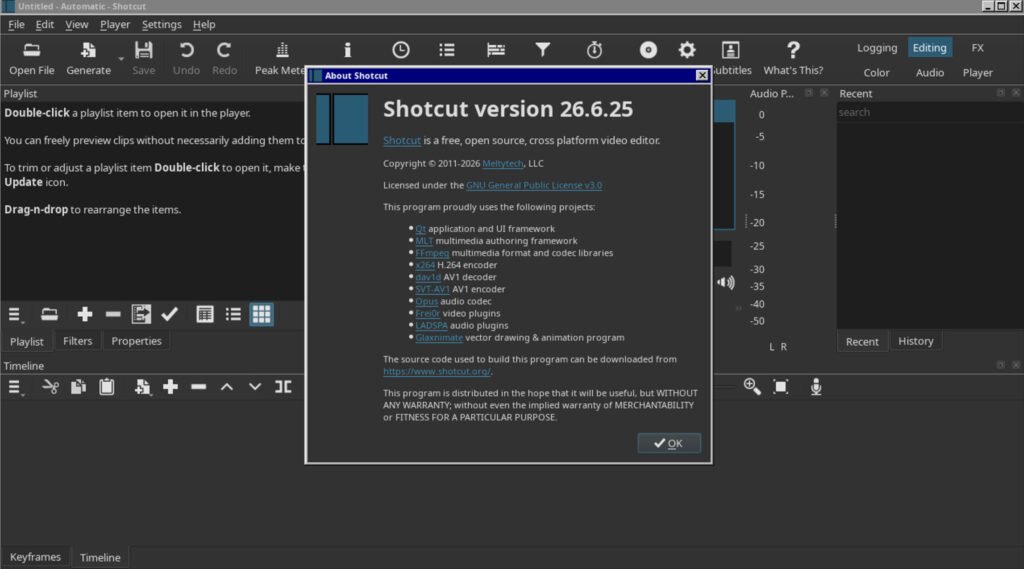
The team notes that HDR preview works best with a properly configured HDR display and Native 10-bit CPU or Linear 10-bit GPU/CPU modes. For best results, stick to filters tagged #gpu or #10bit. Note that switching between PQ and HLG requires a restart, and it currently doesn’t work well on Linux.
This should make daily use much smoother for creators working with modern high-quality footage.
External Monitor with System Display
Great news for many users! After a major change to the video plumbing, Shotcut brings back support for using an additional system display as an external monitor.
- The External Monitor submenu has moved from Settings to the top of the Player menu for easier access.
- The new plumbing also powers the HDR preview window.
- There’s a fallback option Settings > Player > Use Old Video Output if needed.
External Plugins Support
Shotcut now offers limited but promising support for external audio and video plugins.
- UI added for NTSC-rs (OpenFX image effect).
- UI added for Valhalla Supermassive (VST2/LV2 audio).
- New –experimental command line option to access the UI generator and Manage Add-on Filters dialog.
- Added Settings > Leave Safe Mode (appears automatically if it crashes on startup due to plugins).
- Support for loading custom filter UIs from the App Data Directory.
The support is experimental and advanced users only for now — no plugin UIs and limited compatibility, but it’s a solid foundation for the future.
Other Notable Changes
- Added Reduce Noise: Audio (RNNoise) filter — very useful for cleaning up noisy recordings.
- Added Vulkan display method on Linux.
- Added option to disable Create Transitions on Overlap in Timeline settings.
- Added support for .lot Lottie animation files.
- Upgraded MLT to 7.40.0, FFmpeg to 8.1.2, and other libraries.
Fixes and Improvements
The team fixed many bugs in this release:
- Several fixes for filter UIs, numeric fields, mouse wheel, and keyboard input.
- Fixed issues with clip movement, timeline corruption, and undo after Video Mode changes.
- Improved DeckLink/UltraStudio stability.
- Fixed various subtitle, text filter, and export problems.
- Many small stability and usability improvements across the board.
These changes should make Shotcut feel more reliable in everyday editing sessions.
Download and Installation
You can download Shotcut 26.6.25 directly from the official website:
https://www.shotcut.org/download/
Linux users have several easy options:
- Download the AppImage (recommended — just make it executable and run)
- Use the Flatpak from Flathub
- Snap package is also available
- Arch users can find it in the AUR
The AppImage works great on most distributions including Ubuntu, Fedora, and others. No installation needed — perfect for trying the new version quickly.
Windows and macOS builds are available too. Always download from the official site for safety.
Wrapping Up
Shotcut 26.6 is a very welcome update that brings considerable improvements for HDR workflows and restores a popular feature many users missed. The external plugin support opens new possibilities, and the long list of fixes makes the app more stable overall.
You should give it a try, especially if you work with HDR footage or need a reliable external monitor setup.
Cheers.
Via release notes.


